
Camera Placement Guide for Chicago Parking Garages
Position cameras right in Chicago parking garages — plate-capture angles, multi-lens, fisheye, low-mount tricks, ControlID gate access.
· Vidimost LLC
Camera placement in Chicago parking garages is one of those things that looks straightforward on a floor plan and turns into a headache the minute you actually walk the space with a flashlight. Low concrete ceilings full of HVAC ductwork, sodium-vapor lights humming overhead, columns blocking sightlines every 20 feet, slick polished floors reflecting everything — it’s a different animal than designing a lobby system. We been installing camera systems in Chicago garages for years — from compact 24-spot underground garages in Lincoln Park condos to multi-level parking decks in Schaumburg office complexes — and there’s a small handful of patterns that show up in pretty much every project.
This guide walks through how we actually approach garage camera placement when we come out on a free walkthrough. Honest disclaimer: we always look at the space in person before we spec anything, because every garage is a little bit different and floor plans lie. But here’s the playbook.
We always walk the garage first — and you should too
I’ll tell ya straight: nobody can spec a real garage camera system from a PDF floor plan. There’s too many things that only show up when you stand in the actual space with a tape measure and your phone’s flashlight on. Where the columns are exactly. How tall the ceiling actually is at each section. Where the LED lights are positioned and how much shadow they cast between cars. Whether there’s a section by the gate where the morning sun blinds everything for 90 minutes. Whether the building’s existing low-voltage cabling goes anywhere useful or whether we’re pulling new conduit through painted concrete.
The walkthrough takes 30-45 minutes. We bring a tape measure, a sample of the cameras we’re considering, and a flashlight. By the time we leave, we know exactly where every camera goes, how the cabling needs to run, and what the total install will cost — fixed-price, in writing, no surprises later. Free for any Chicago commercial garage walkthrough. Book a walkthrough →
Entrance and exit — license plate capture is non-negotiable
The single most important cameras in any parking garage are the ones covering the entrance and exit. They’re also the cameras that get spec’d wrong most often.
The angle matters more than the resolution. A 4K camera mounted at the wrong angle produces useless footage. The plate capture angle has to be roughly 15-30 degrees off the direction of vehicle travel — straight-on is a glare problem (headlights at night), straight-side is a parallax problem (the plate is moving too fast across the frame). 15-30 degrees gives you a clean read from the front plate as the car approaches, or the rear plate as it exits.
Mounting height is the other half of the equation. Too high and you’re shooting down at the roof of the car; too low and you’re at headlight level and getting blasted by glare. The sweet spot is around 8-10 feet — high enough to be out of pedestrian reach, low enough to actually see plates. Pair with a camera that has proper WDR (120 dB minimum) and that’s tuned for the specific lighting conditions of the entrance (we adjust each camera’s exposure, shutter speed, and WDR strength on-site during commissioning — never trust the out-of-box defaults).
Two cameras at the entrance, two at the exit is the standard pattern. One captures the plate, the other gives a wider scene shot showing the vehicle, the driver, and any other context. The plate camera is a narrow-FOV “spec” camera; the scene camera is wider, contextual.
Drive-through aisles — the basic camera most people think about first
Inside the garage, the standard pattern is cameras at each end of the main drive-through aisles, pointed down the length of the aisle to cover the spots on both sides and any vehicles driving through. For a typical Chicago condo garage with 30-60 spots and 2-3 main aisles, that’s usually 6-10 cameras for the main coverage — plus the 4 entrance/exit cameras and a couple for stairwells and elevator vestibules.
These are the easy ones to spec. Standard outdoor-rated bullet or dome cameras, 4MP or 8MP resolution, 30 m IR, proper WDR. The placement is mostly determined by the aisle layout, not by anything clever. Nothing fancy. Just point them down the aisle, mount them at a height that keeps them out of reach, make sure the wire runs are clean.
Large garages — multi-lens cameras change the math
Here’s where it gets interesting. Once you’re past about 60-80 spots, or once the garage has more than one floor, the simple “bullet at each end of every aisle” approach starts running into a problem: too many cameras, too many wire pulls, too much labor. And concrete is expensive to drill through, particularly when you’re routing past sprinkler pipes and HVAC ducts and gas lines that nobody documented when the building was built in 1978.
Multi-lens cameras solve this elegantly. One housing, four independent sensors, each pointed in a different direction. Single Cat6 cable powers all four sensors over PoE. From the install perspective, you’re pulling one cable instead of four. From the network perspective, it’s one IP address. From the VMS perspective, depending on the platform, it counts as one camera or four — but the wiring is the same either way.
A few we install regularly in Chicago garages:
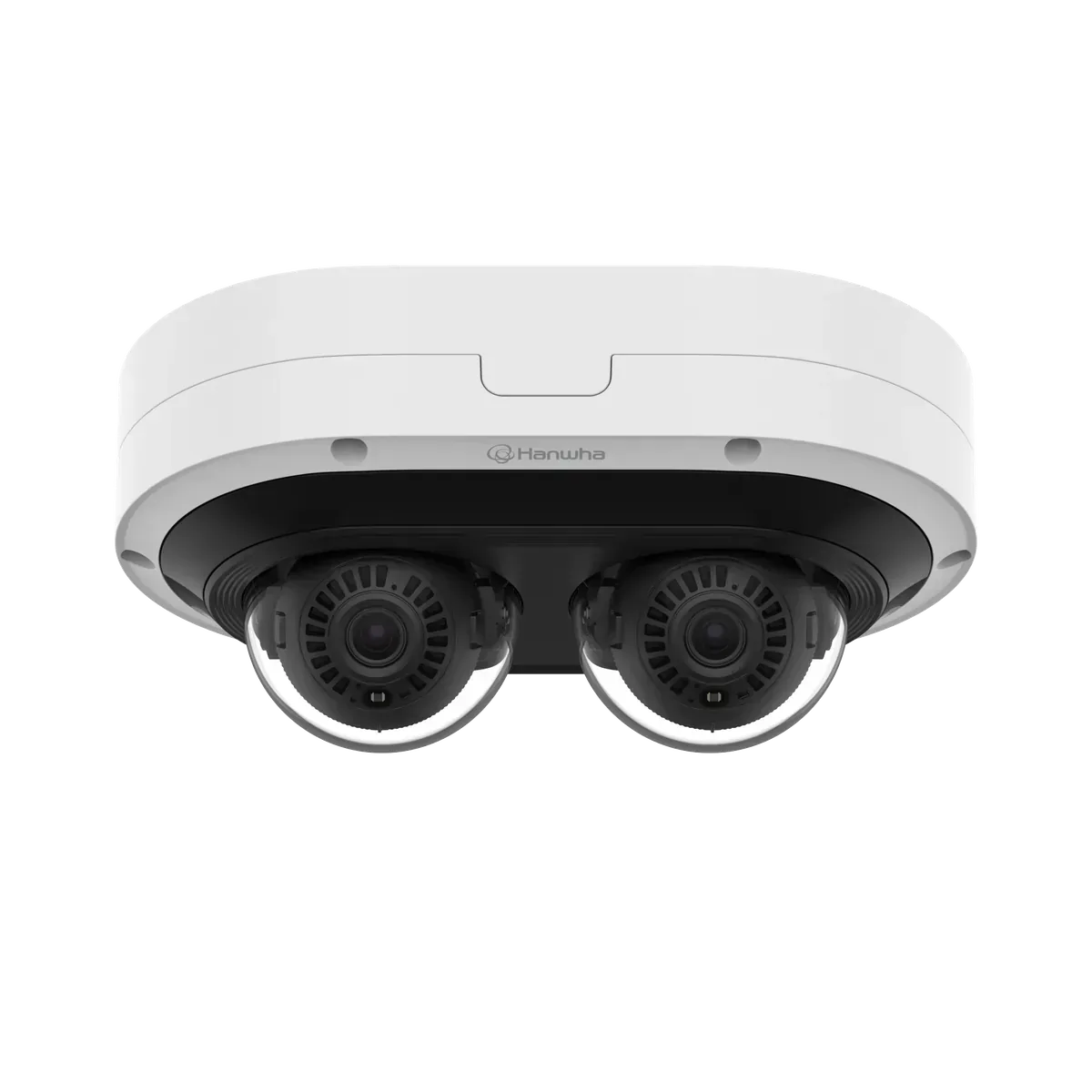
Hanwha PNM-C12083RVD — 4-sensor multi-directional, 2 MP per sensor, IR, vandal-resistant. Goes in the middle of an intersection where 3-4 aisles meet. Each sensor covers one aisle, the whole intersection is covered with one camera housing and one cable. We use this constantly in mid-size Chicago garage decks.
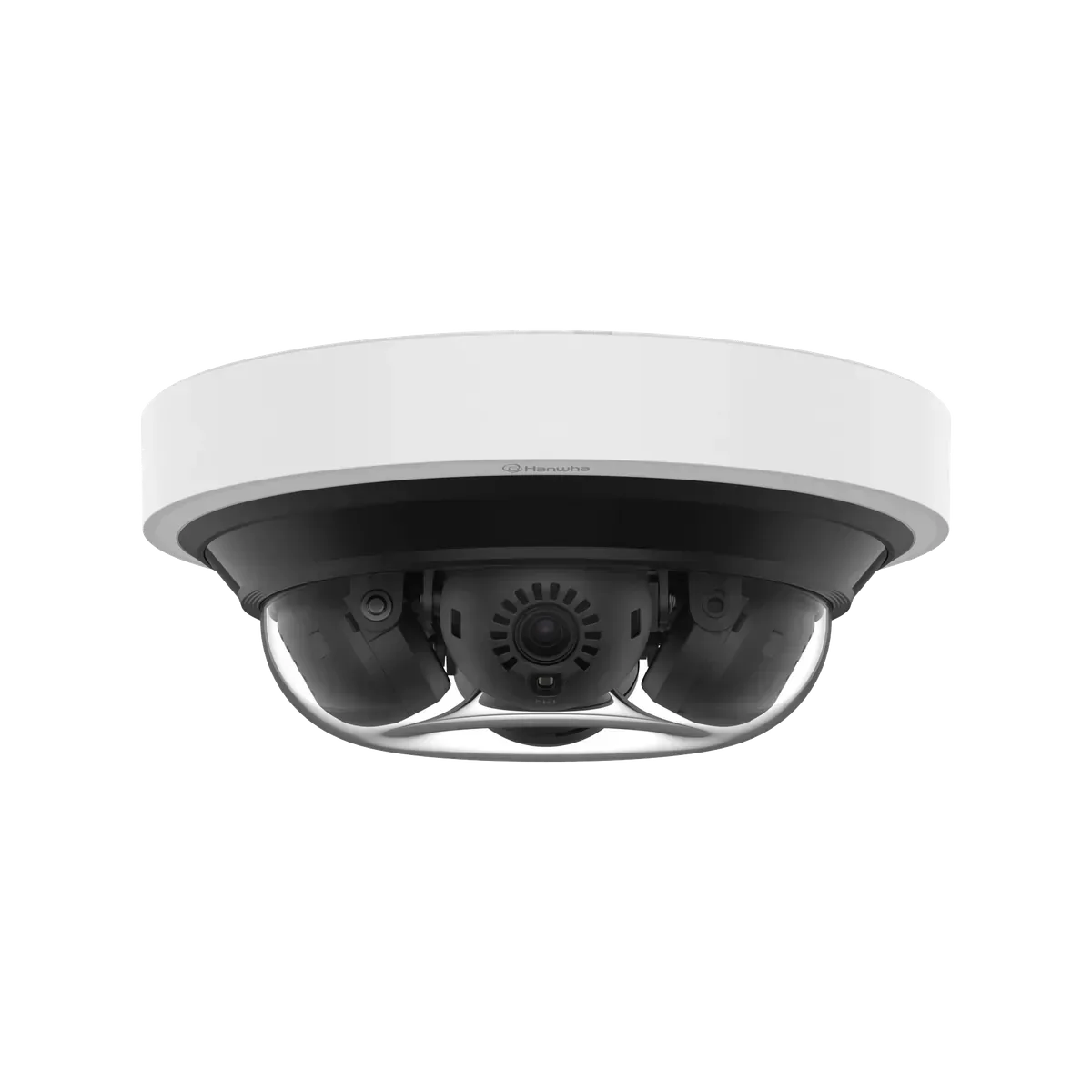
Hanwha PNM-C16013RVQ — same form factor but 4 MP per sensor (16 MP total). The premium pick when license plate detail across the whole intersection matters, not just on the driveway.
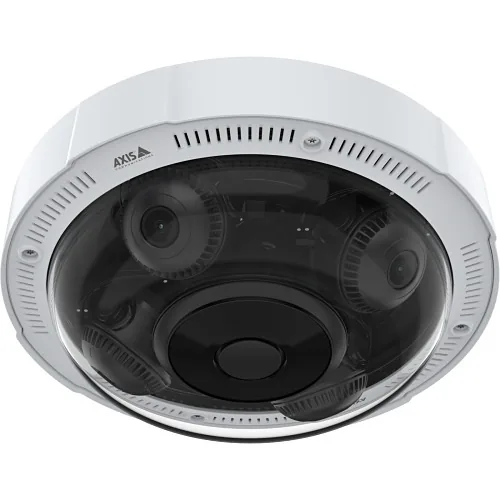
Axis P3737-PLE — Axis side of the multi-sensor world. 4 × 5 MP independent sensors, full 360° coverage from a ceiling-mount position or 270° from a corner. Goes in larger Chicago garages on the Axis VMS side (Axis Camera Station, Genetec, Milestone).
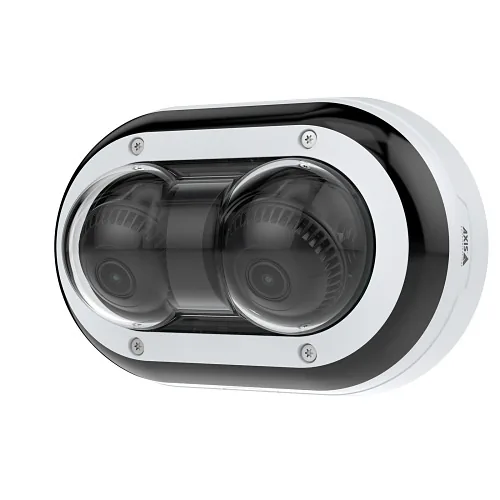
Axis P4707-PLVE — 2-sensor dual-direction (180°). For T-intersections in garages where two aisles meet at right angles. One camera, two coverage directions, single cable.
The trade-off: the camera itself costs more than 4 single-sensor bullets — but the labor savings on cable pulls (concrete drilling, conduit, terminations, switch ports) usually make the total install cheaper, sometimes meaningfully so. And the long-term cost is lower because you have fewer cameras to maintain, fewer firmware updates to push, fewer IP addresses to track, fewer cables that can fail in a wet basement. We do the math per project — sometimes single-sensor is right, sometimes multi-sensor is right.
Chicago garages have a height problem — and the fix is dropping the camera down
Here’s something that almost never comes up in spec sheets but bites every garage install: Chicago commercial garages have low ceilings full of stuff. Sprinkler pipes, HVAC ductwork, conduits, gas lines, low concrete beams. If you mount a camera flush against the actual ceiling, half the time you’re shooting blind because there’s a sprinkler pipe two feet in front of the lens.
The solution is drop-mount brackets: extend the camera down 6-18 inches from the ceiling so the lens clears the obstructions and has a clean line of sight. We use these on probably 60-70% of Chicago garage installs. Costs an extra $20-40 per camera in hardware, takes maybe 5 extra minutes per camera at install — but it’s the difference between footage that’s useful and footage where you can’t see the white SUV that grazed a column at 3 AM.
Sometimes the drop has to be even bigger. We’ve installed cameras dropped 36+ inches from the ceiling in garages with particularly aggressive HVAC layouts. Looks weird, works great. The pendant mount is the unsung hero of Chicago garage camera installs.
Fisheye cameras — single-camera 360° coverage where it makes sense
Multi-lens cameras give you 360° via 4 separate sensors. Fisheye cameras do it differently — one ultra-wide-angle lens (typically 1.4-1.6 mm) captures a single hemispherical image, then the VMS software dewarps it into useful views in real time.
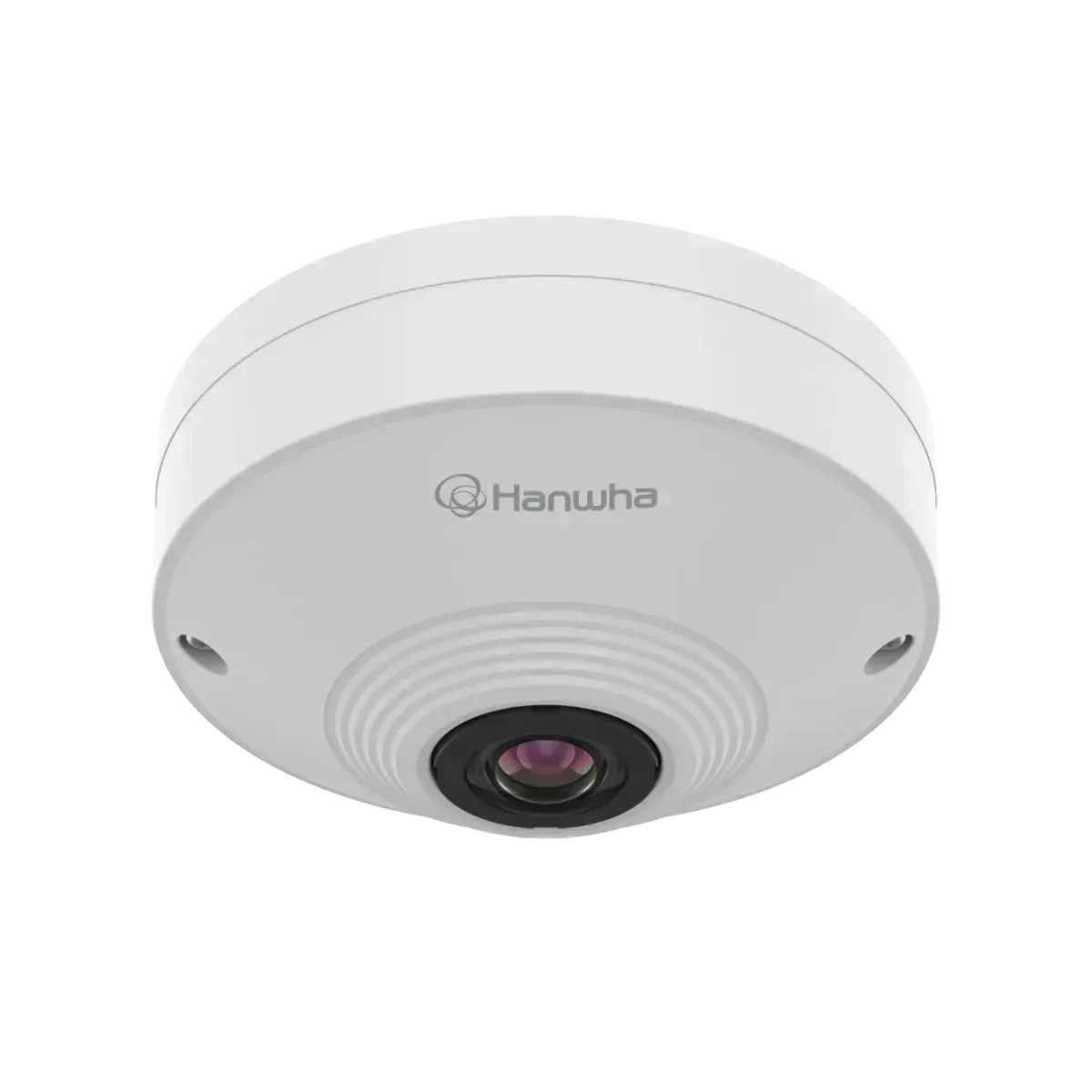
Hanwha QNF-9010 — 9 MP fisheye, single-lens hemispherical coverage. The default Hanwha fisheye for compact garage spaces (small condo garages, package room overflow, elevator vestibules where one camera replaces three).
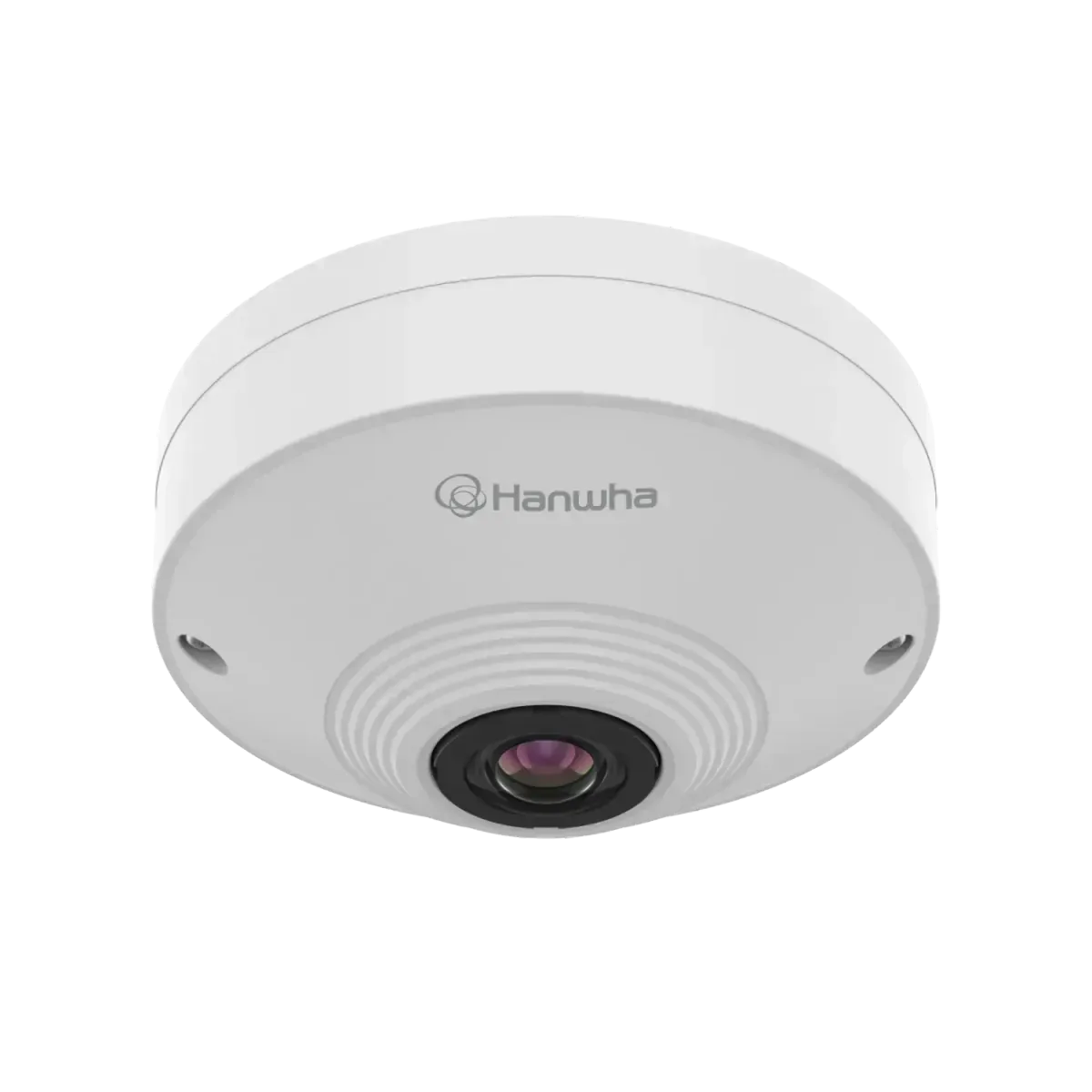
Hanwha QNF-8010 — 6 MP fisheye, the more budget-friendly variant for smaller garages where 9 MP is overkill.
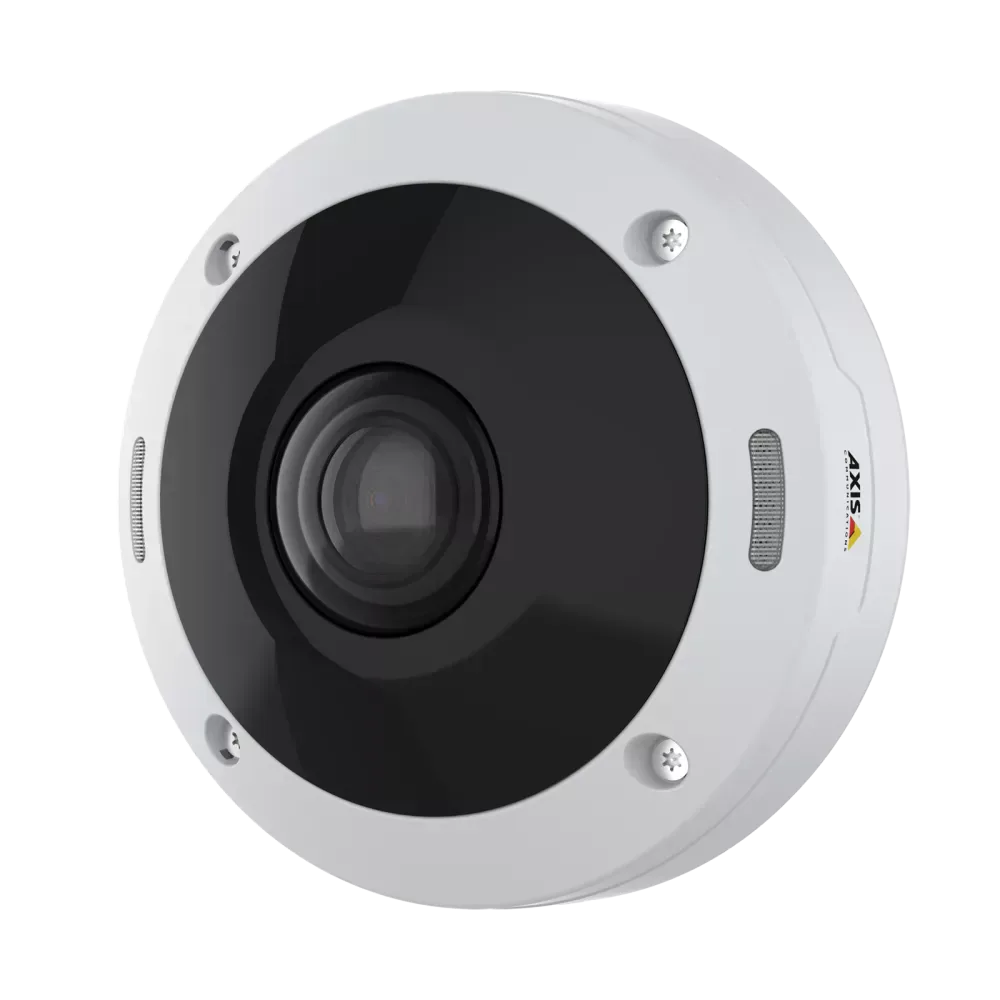
Axis M4308-PLE — Axis fisheye for installs on Axis Camera Station / Genetec / Milestone VMS. 12 MP single-lens 360°.
The thing fisheye does well that multi-sensor doesn’t — the entire 360° image is one continuous picture. There’s no seam between sensors where someone could walk and disappear from one camera and appear on the next. The dewarp happens in software, so depending on what view you want — single panorama, quad-view of regions of interest, virtual PTZ, corridor view — you reconfigure the dewarp without touching the camera.
The catch is the software. Fisheye cameras really benefit from a professional VMS that handles dewarping properly. We typically pair them with Hanwha Wisenet WAVE — WAVE has excellent built-in fisheye dewarping that gives you the live panorama AND lets you scrub backward through the archive with the same dewarped views. Watching back a 3 AM incident in a parking garage on WAVE’s dewarped fisheye feels like a stadium replay — you can rotate the virtual PTZ around the scene, zoom into any region, follow a person walking through the frame across the full 360°. Way more useful than the raw fisheye lens picture.
Fisheye also looks better aesthetically than a multi-sensor housing in residential condo garages — single compact dome vs the larger multi-sensor body. For boards that care how the garage looks (and in this town that’s most of them), fisheye is often the preferred choice for ceiling-mount positions that aren’t intersections.
Access control belongs in the garage security plan
Cameras tell you what happened. Access control decides what’s allowed to happen in the first place. In a Chicago condo or commercial garage, these two systems work together — and around here we’ve been installing the same combination over and over for the past 2-3 years because it just works.
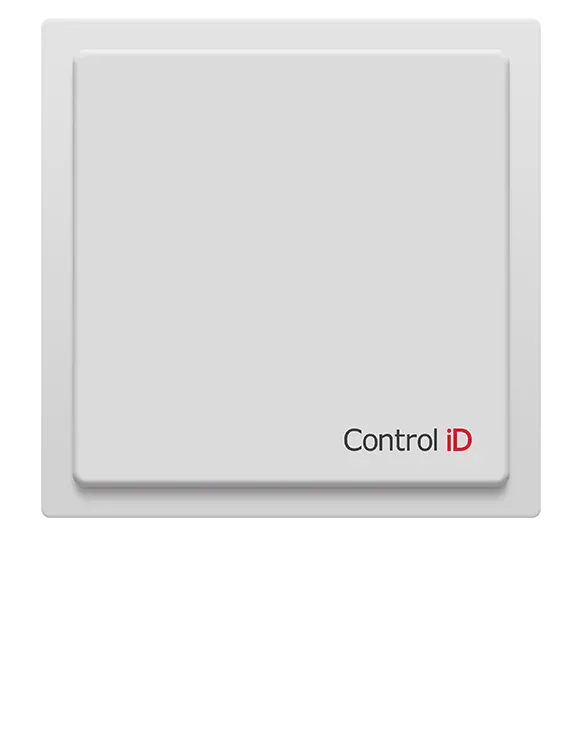
Garage gate access via ControlID iDUHF UHF readers paired with ControlID PET-UHF windshield tags stuck inside each resident’s car. The reader picks up the tag from 6-10 feet out as the car approaches the gate. Gate opens automatically. Resident drives in. No rolling down the window in February, no fumbling for a fob with gloves on, no holding up the line behind you while you swipe.
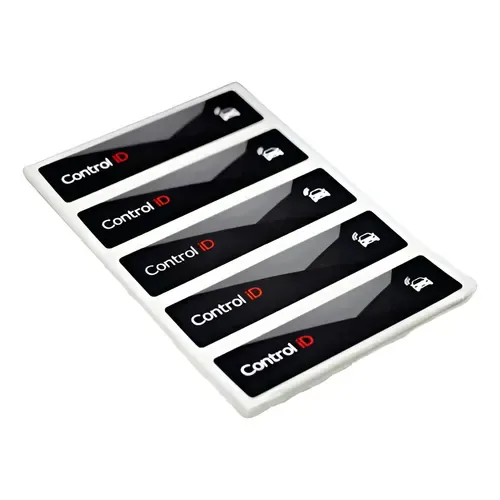
The tag is sized about right for the inside of a windshield — sticks once, lasts the life of the car. Permissions tie back to the building’s access control system, so when a resident moves out their tag stops working the same minute their lease or condo ownership transfers. We integrate this with Brivo cloud, Paxton Net2, or Genetec depending on what the building runs.
Pair this with license-plate-recognition cameras at the gate (basically a good 4 MP camera with the right angle, plus LPR analytics running on the NVR or VMS), and you’ve got: tag-based access for residents, LPR records of every plate that enters or exits, and full video footage tied to the access events. Every garage entry has a credential read, a plate read, and a video clip. That’s the modern Chicago condo garage security stack and honestly it’s hard to beat.
For the deeper dive on the access side of this combination, see our Brivo readers comparison guide and the property management page.
Where the budget actually goes
Couple of patterns from our actual install bills, since the question always comes up:
- Entrance and exit plate-capture cameras are usually 15-25% of the total camera budget. Worth every penny because they’re the cameras you actually pull footage from when something happens. Spec them right or don’t bother installing the rest.
- Multi-sensor / fisheye cameras cost 2-3× a single-sensor bullet but cover the area of 3-4 bullets. Total install cost is usually lower when you factor in cable pulls — and a lot lower in concrete-ceiling Chicago garages where every conduit run is a project.
- The cabling labor is the line item people underestimate. Pulling Cat6 through painted concrete past sprinkler pipes is slow and physical work. Plan for it in the project schedule, not just the project budget.
- NVR storage — 30 days of 8-channel 4MP at moderate Zipstream compression runs about 2-4 TB. Don’t cheap out on storage; retention is what makes the cameras useful.
A small Chicago-specific note
If you’ve ever tried to parallel-park on Halsted on a Saturday night, you already know Chicago drivers are not exactly precision instruments around parked cars. Your garage cameras are going to record some genuinely creative moments — door dings, mirror clips, the occasional “I thought reverse was D” moment, every once in a while a delivery driver backing into the same column for the third week running. Spec the system assuming it’ll get used, because it will get used. We’d estimate 4 out of 5 garage camera systems we’ve installed in Chicago end up reviewing footage at least once a month for parking incidents alone — and that’s before you factor in the actual security incidents the cameras are technically there for.
Ready to plan your garage camera system?
Vidimost installs camera systems and access control across Chicago — downtown to the neighborhood corridors. Free site walkthrough for any commercial garage in the Chicago area. We’ll spec the camera placement, the multi-sensor vs single-sensor strategy, the access control integration, and the cabling routes — written quote, fixed price, no contract, no pressure.
Get a free garage walkthrough → · Or call (872) 254-5015.
Founder of Vidimost LLC — a Chicago-based security systems integrator specializing in commercial cameras, access control, video intercoms, and networking for condos, offices, and managed properties.