
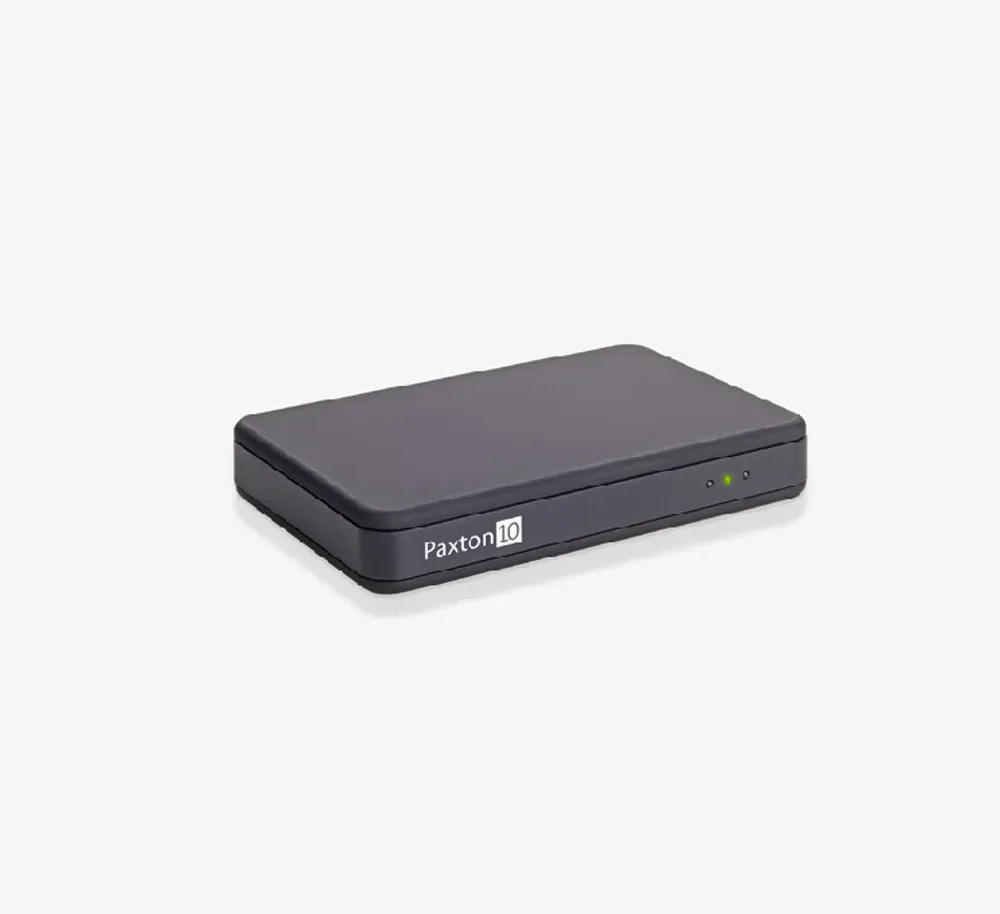
Paxton10 Desktop Reader (010-387) — USB-Connected Credential Enrollment Reader for Chicago Cloud Admin
Model / Series: 010-387
USB desk reader for Paxton10 — enroll new fobs and cards into the cloud system right from the front office instead of walking to a door.
We don't just ship boxes — this goes in as part of our access control installation in Chicago work. City building? See our Chicago, IL service area.
Specifications
- Brand
- Paxton
- Model
- 010-387
- Series
- Paxton10
- Form Factor
- Desktop USB enrollment reader
- Multi-Format Support
- Paxton tokens, EM, MIFARE DESFire CSN, HID Prox 125 kHz, FeliCa, NFC
- MIFARE-Encrypted Variants
- Available (MIFARE-secure encrypted-read configurations on request)
- Connection
- USB to admin PC running Paxton10 cloud admin web interface
- Power
- USB-powered (no external supply needed)
- Use Case
- Credential enrollment at admin desk — read new tokens / cards / fobs into Paxton10 cloud database
- Operating Temperature
- Indoor (climate-controlled office)
- Mounting
- Tabletop / desktop
- Cloud Platform
- Paxton10 cloud-managed access
Best Fit & Recommended For
Paxton10 Desktop Reader (010-387) — Credential Enrollment for Cloud Admin
The Paxton10 Desktop Reader (010-387) is the USB-connected enrollment reader for Paxton’s Paxton10 cloud-managed access control system — sits on the admin desk and reads new credentials (Paxton tokens, MIFARE DESFire, EM, HID Prox, FeliCa, NFC) directly into the Paxton10 cloud database during cardholder enrollment.
The Desktop Reader is the operational tool that completes the Paxton10 cloud workflow — without it, enrolling a new resident, employee, or contractor requires walking out to a door reader, presenting the credential, and capturing the read in the cloud admin interface. With the Desktop Reader, enrollment happens at the admin desk — present the credential to the desktop unit, the cloud dashboard auto-populates the credential ID, admin assigns access permissions, done.
Why Every Paxton10 Site Should Have at Least One
The Desktop Reader is essential operational infrastructure, not optional:
- Eliminates enrollment friction — staff don’t have to walk to a door to enroll a new credential
- Reduces credential errors — direct read from desk eliminates manual ID entry mistakes
- Speeds up resident / employee onboarding — typical enrollment drops from minutes to seconds
- Multi-credential ready — same reader handles every credential format your property uses
- USB-powered — no separate power supply, no electrician needed for installation
For Chicago HOA front offices, building manager desks, HR departments, and property management offices, the Desktop Reader pays for itself in operational time saved within the first month.
Multi-Format + MIFARE Variants
Reads the full Paxton10 multi-format credential mix — Paxton tokens, EM, MIFARE DESFire CSN, HID Prox 125 kHz, FeliCa, NFC.
For projects requiring MIFARE DESFire encrypted-read during enrollment (matching the secure-read configuration of door readers), Paxton offers MIFARE-secure variants of the desktop reader on request — specified at site walkthrough per credential policy.
Desktop Reader 010-387 vs. Sibling Paxton10 Readers
| Feature | Desktop 010-387 (this) | Slimline 010-296 | VR 010-254 | Keypad 010-824 |
|---|---|---|---|---|
| Use case | Admin desk enrollment | Door reader (general) | Door reader (vandal-prone outdoor) | Door reader (2-factor sensitive) |
| Connection | USB to PC | RS-485 to controller | RS-485 to controller | RS-485 to controller |
| Power | USB (PC) | 12 VDC | 12 VDC | 12 VDC |
| Multi-format | Yes | Yes | Yes | Yes |
| Bluetooth | N/A | 3 ranges | 3 ranges | 3 ranges |
| 2-factor PIN | N/A | No | No | Yes |
| Mounting | Tabletop | Mullion / wall | Wall surface (4 fixings) | Wall (with keypad) |
Where the Paxton10 Desktop Reader Wins in Chicago
- HOA front offices enrolling fobs for new residents
- Building manager desks at multi-tenant residential properties — Loop high-rises, Mag Mile residential
- HR / admin desks at small offices managing Paxton10 credentials
- Property management offices issuing credentials across multiple buildings (centralized portfolio admin)
- Clinic admin desks enrolling staff credentials on Paxton10
- School front offices issuing staff credentials
- Boutique hotel managers enrolling staff credentials
- Construction / industrial site offices for contractor credential enrollment
Local Chicago Coverage
Vidimost installs the Paxton10 Desktop Reader across the full city of Chicago as part of every Paxton10 deployment — typically one or more per property depending on admin workflow.
Recommended Pairings
- Paxton10 Slimline Reader (010-296) — door reader most-installed
- Paxton10 Vandal-Resistant Reader (010-254) — outdoor door reader
- Paxton10 Keypad Reader (010-824) — 2-factor sensitive doors
Professional Installation by Vidimost
Vidimost LLC is an active Paxton installer across Chicago. The Paxton10 Desktop Reader is part of every Paxton10 deployment we ship to Chicago HOAs, condo buildings, small offices, and property management projects. Full-scope service includes site walkthrough, admin workstation identification, USB driver setup on Paxton10 admin PC, MIFARE-variant matching to door readers, training of admin staff on enrollment workflow, and ongoing support. Contact us for a free site walkthrough and quote.
Weighing it against the rest of the line? The Paxton reader comparison guide covers every model we install.
Frequently Installed Together
Paxton
Paxton10 Slimline Reader
Slim 48 mm Paxton10 door access reader that mounts on narrow frames and glass mullions — reads fobs, cards, and phones over Bluetooth.
View →Paxton
Paxton10 VR Reader
Heavy-duty Paxton10 reader in a metal surround for exposed spots — parking garage gates, alley doors, school entries. IK10 impact, IP67 weather rating.
View →Paxton
Paxton10 Keypad Reader
Paxton10 keypad reader with PIN-plus-fob two-factor entry — for server rooms, med storage, and office doors that need more than a card swipe.
View →